Event Calendar in Laravel with FullCalendar v6: A Complete Example
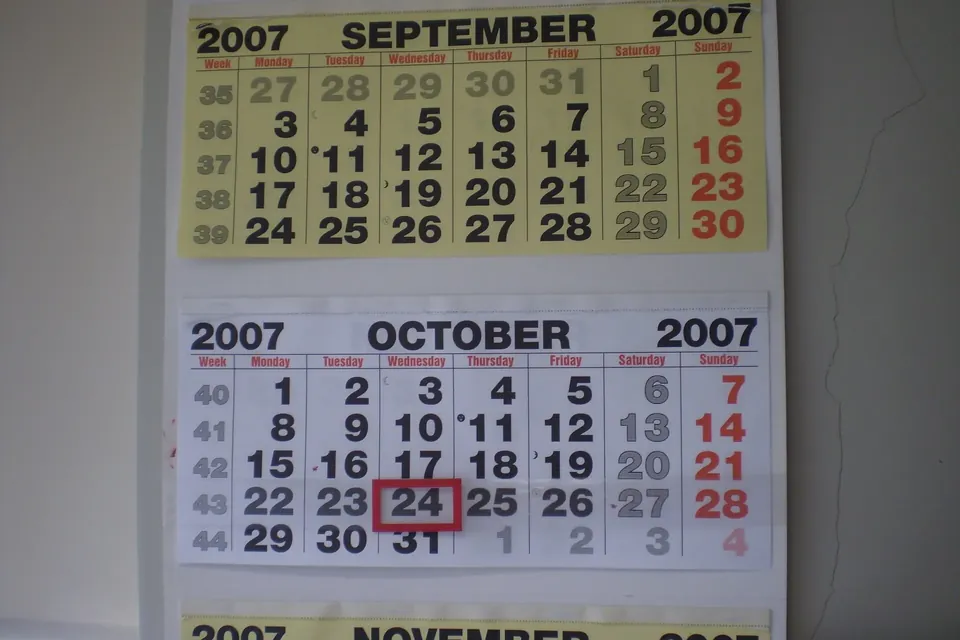
A working event calendar in Laravel needs three pieces: an events table, a JSON endpoint that returns the events overlapping the date range FullCalendar asks for, and a small amount of JavaScript that sends create, move and delete requests back to Laravel with the CSRF token. The example below does all of that with Laravel 10 or 11 and FullCalendar v6.
What you are building
The calendar shows month, week and day views. Selecting a range of days or time slots prompts for a title and stores a new event. Dragging or resizing an event updates it, and clicking an event deletes it after a confirmation. Every change goes through a validated controller action, and the browser never has to load more than the events visible on screen.
| Action in the calendar | HTTP request | Controller method |
|---|---|---|
| Change view or navigate | GET /events?start=…&end=… | index |
| Select a date range | POST /events | store |
| Drag or resize an event | PATCH /events/{id} | update |
| Click an event, confirm | DELETE /events/{id} | destroy |
Migration and model
Create the model and migration in one step with php artisan make:model Event -m, then define the table. The end column is nullable because FullCalendar allows events without an end, and all_day distinguishes date-only events from timed ones.
<?php

use Illuminate\Database\Migrations\Migration;
use Illuminate\Database\Schema\Blueprint;
use Illuminate\Support\Facades\Schema;

return new class extends Migration
{
    public function up(): void
    {
        Schema::create('events', function (Blueprint $table) {
            $table->id();
            $table->string('title');
            $table->dateTime('start');
            $table->dateTime('end')->nullable();
            $table->boolean('all_day')->default(false);
            $table->timestamps();

            $table->index(['start', 'end']);
        });
    }

    public function down(): void
    {
        Schema::dropIfExists('events');
    }
};
Run php artisan migrate. In the model, cast the date columns to Carbon instances and add a helper that produces the shape FullCalendar expects: id, title, start, end and allDay. All-day events are serialized as plain dates; timed events as ISO 8601 strings with an offset, which FullCalendar converts to the browser's time zone.
<?php

namespace App\Models;

use Illuminate\Database\Eloquent\Model;

class Event extends Model
{
    protected $fillable = ['title', 'start', 'end', 'all_day'];

    protected $casts = [
        'start'   => 'datetime',
        'end'     => 'datetime',
        'all_day' => 'boolean',
    ];

    public function toCalendarArray(): array
    {
        $format = $this->all_day ? 'Y-m-d' : DATE_ATOM;

        return [
            'id'     => $this->id,
            'title'  => $this->title,
            'start'  => $this->start->format($format),
            'end'    => $this->end?->format($format),
            'allDay' => $this->all_day,
        ];
    }
}
Note that Event is not a reserved name in Laravel, but it can be confused with the framework's event system (Illuminate\Support\Facades\Event). If that bothers you, call the model CalendarEvent and adjust the table name.
Routes
Add the routes to routes/web.php. Using the web middleware group matters here: it starts the session and enables CSRF verification, which the JavaScript will satisfy with a header. In a real application, wrap the group in ->middleware('auth').
<?php

use App\Http\Controllers\EventController;
use Illuminate\Support\Facades\Route;

Route::get('/calendar', [EventController::class, 'calendar'])->name('calendar');

Route::prefix('events')->name('events.')->group(function () {
    Route::get('/', [EventController::class, 'index'])->name('index');
    Route::post('/', [EventController::class, 'store'])->name('store');
    Route::patch('/{event}', [EventController::class, 'update'])->name('update');
    Route::delete('/{event}', [EventController::class, 'destroy'])->name('destroy');
});
The controller and the JSON feed
Generate it with php artisan make:controller EventController. When FullCalendar is given a URL as its events source, it requests that URL with start and end query parameters covering the visible range (see the events JSON feed documentation). The index method must return every event that overlaps that window, not only events that start inside it, otherwise a multi-day event that began last month disappears from this month's view.
<?php

namespace App\Http\Controllers;

use App\Models\Event;
use Illuminate\Http\JsonResponse;
use Illuminate\Http\Request;
use Illuminate\Support\Carbon;

class EventController extends Controller
{
    public function calendar()
    {
        return view('calendar');
    }

    public function index(Request $request): JsonResponse
    {
        $request->validate([
            'start' => ['required', 'date'],
            'end'   => ['required', 'date', 'after:start'],
        ]);

        $start = Carbon::parse($request->query('start'))->utc();
        $end   = Carbon::parse($request->query('end'))->utc();

        // Overlap test: the event starts before the window ends
        // and ends (or, with no end, starts) after the window starts.
        $events = Event::query()
            ->where('start', '<', $end)
            ->where(function ($q) use ($start) {
                $q->where('end', '>', $start)
                  ->orWhere(fn ($q) => $q->whereNull('end')->where('start', '>=', $start));
            })
            ->orderBy('start')
            ->get()
            ->map->toCalendarArray();

        return response()->json($events);
    }

    public function store(Request $request): JsonResponse
    {
        $event = Event::create($this->validated($request));

        return response()->json($event->toCalendarArray(), 201);
    }

    public function update(Request $request, Event $event): JsonResponse
    {
        $event->update($this->validated($request, partial: true));

        return response()->json($event->toCalendarArray());
    }

    public function destroy(Event $event): JsonResponse
    {
        $event->delete();

        return response()->json(null, 204);
    }

    private function validated(Request $request, bool $partial = false): array
    {
        $required = $partial ? 'sometimes' : 'required';

        $data = $request->validate([
            'title'   => [$required, 'string', 'max:255'],
            'start'   => [$required, 'date'],
            'end'     => ['nullable', 'date', 'after_or_equal:start'],
            'all_day' => ['sometimes', 'boolean'],
        ]);

        foreach (['start', 'end'] as $key) {
            if (! empty($data[$key])) {
                $data[$key] = Carbon::parse($data[$key])->utc();
            }
        }

        return $data;
    }
}
A few details are worth calling out:
- Overlap query. An event overlaps the window when it starts before the window ends and ends after the window starts. Events with no end are treated as points in time.
- Validation.
after_or_equal:startrejects inverted ranges. Because the JavaScript sendsAccept: application/json, failed validation returns a 422 JSON response instead of a redirect. The rule syntax is described in the Laravel validation docs. - Route model binding.
updateanddestroyreceive theEventinstance directly; a missing ID yields a 404 automatically. - Partial updates.
sometimeslets a PATCH omit the title when only dates change.
Installing FullCalendar with npm and Vite
Laravel 10 and 11 ship with Vite. Install the FullCalendar packages you need:
npm install @fullcalendar/core @fullcalendar/daygrid @fullcalendar/timegrid @fullcalendar/interactionThe interaction plugin is what enables date selection, dragging and resizing; without it, selectable and editable do nothing. Create resources/js/calendar.js:
import { Calendar } from '@fullcalendar/core';
import dayGridPlugin from '@fullcalendar/daygrid';
import timeGridPlugin from '@fullcalendar/timegrid';
import interactionPlugin from '@fullcalendar/interaction';

const csrf = document.querySelector('meta[name="csrf-token"]').content;

async function api(url, method, body) {
  const response = await fetch(url, {
    method,
    headers: {
      'Content-Type': 'application/json',
      'Accept': 'application/json',
      'X-CSRF-TOKEN': csrf,
    },
    body: body ? JSON.stringify(body) : undefined,
  });
  if (!response.ok) {
    const error = await response.json().catch(() => ({}));
    throw new Error(error.message || `HTTP ${response.status}`);
  }
  return response.status === 204 ? null : response.json();
}

function payload(event) {
  return {
    start: event.startStr,
    end: event.endStr || null,
    all_day: event.allDay,
  };
}

document.addEventListener('DOMContentLoaded', () => {
  const el = document.getElementById('calendar');

  const calendar = new Calendar(el, {
    plugins: [dayGridPlugin, timeGridPlugin, interactionPlugin],
    initialView: 'dayGridMonth',
    headerToolbar: {
      left: 'prev,next today',
      center: 'title',
      right: 'dayGridMonth,timeGridWeek,timeGridDay',
    },
    events: '/events',
    selectable: true,
    editable: true,

    select: async (info) => {
      calendar.unselect();
      const title = window.prompt('Event title');
      if (!title) return;
      try {
        const created = await api('/events', 'POST', {
          title,
          start: info.startStr,
          end: info.endStr,
          all_day: info.allDay,
        });
        calendar.addEvent(created);
      } catch (e) {
        alert(`Could not create event: ${e.message}`);
      }
    },

    eventDrop: async (info) => {
      try {
        await api(`/events/${info.event.id}`, 'PATCH', payload(info.event));
      } catch (e) {
        info.revert();
        alert(`Move failed: ${e.message}`);
      }
    },

    eventResize: async (info) => {
      try {
        await api(`/events/${info.event.id}`, 'PATCH', payload(info.event));
      } catch (e) {
        info.revert();
      }
    },

    eventClick: async (info) => {
      if (!window.confirm(`Delete "${info.event.title}"?`)) return;
      try {
        await api(`/events/${info.event.id}`, 'DELETE');
        info.event.remove();
      } catch (e) {
        alert(`Delete failed: ${e.message}`);
      }
    },
  });

  calendar.render();
});
Register the new entry point in vite.config.js so Vite builds it:
import { defineConfig } from 'vite';
import laravel from 'laravel-vite-plugin';

export default defineConfig({
    plugins: [
        laravel({
            input: ['resources/css/app.css', 'resources/js/app.js', 'resources/js/calendar.js'],
            refresh: true,
        }),
    ],
});
Then create resources/views/calendar.blade.php. The csrf-token meta tag is what the script reads before every write request. FullCalendar v6 injects its own CSS, so no stylesheet import is required.
<!DOCTYPE html>
<html lang="{{ str_replace('_', '-', app()->getLocale()) }}">
<head>
    <meta charset="utf-8">
    <meta name="viewport" content="width=device-width, initial-scale=1">
    <meta name="csrf-token" content="{{ csrf_token() }}">
    <title>Calendar</title>
    @vite('resources/js/calendar.js')
</head>
<body>
    <div id="calendar" style="max-width: 1100px; margin: 2rem auto;"></div>
</body>
</html>
Run npm run dev during development (or npm run build for production) and php artisan serve, then open /calendar.
Alternative: loading FullCalendar from a CDN
If you are not using a build step, the global bundle exposes a FullCalendar object and includes the standard plugins, interaction among them. Pin an exact version rather than "latest" so a future major release does not change behavior under you:
<script src="https://cdn.jsdelivr.net/npm/fullcalendar@6.1.15/index.global.min.js"></script>
<script>
  document.addEventListener('DOMContentLoaded', () => {
    const calendar = new FullCalendar.Calendar(document.getElementById('calendar'), {
      initialView: 'dayGridMonth',
      events: '/events',
      selectable: true,
      editable: true,
      // same select / eventDrop / eventClick handlers as above
    });
    calendar.render();
  });
</script>
How create, move and delete work
Create. The select callback receives startStr, endStr and allDay. For all-day selections these are date strings such as 2026-10-24; for time-grid selections they are full timestamps with an offset. After the server responds with the stored event, calendar.addEvent() renders it using the server's ID, which later PATCH and DELETE calls depend on.
Move and resize. eventDrop and eventResize fire after the event has already moved on screen. If the request fails, info.revert() puts it back, so the UI never shows a state the database rejected.
Delete. eventClick asks for confirmation, sends DELETE and calls info.event.remove() only after the server succeeded. For anything beyond a demo, replace prompt/confirm with a modal that also allows editing the title.
Note that FullCalendar uses an exclusive end: an all-day event from 24 to 26 October is sent with end set to the 27th. Store it as received and send it back unchanged; converting to inclusive dates in only one direction is a common source of events that grow or shrink by a day.
Time zones
Keep 'timezone' => 'UTC' in config/app.php (the default) and store everything in UTC. The controller parses incoming ISO strings with their offset and converts them with ->utc(); the model emits DATE_ATOM strings, and FullCalendar renders them in the browser's local time because its timeZone option defaults to 'local'. If every user should see the same wall-clock time regardless of location (a room booking system in one office, say), set FullCalendar's timeZone to that zone and read the timeZone documentation first, since named zones other than local and UTC are only handled accurately with one of FullCalendar's time zone plugins (Luxon or Moment Timezone).
Common pitfalls
- 419 responses on POST/PATCH/DELETE. The CSRF token is missing or stale. Check the meta tag exists and that the header is named
X-CSRF-TOKEN. A session that expired while the page was open also triggers this; reload the page. - Nothing happens when selecting or dragging. The interaction plugin is not loaded, or
selectable/editableare not set. - Multi-day events vanish when navigating. The feed only matches events whose start falls inside the range. Use the overlap condition shown above.
- Events shift by hours. Dates were stored without converting offsets, or the app time zone is not UTC while the database stores naive datetimes. Pick one convention and apply it on both write and read.
- Validation errors are swallowed. Without
Accept: application/json, Laravel answers a failed validation with a 302 redirect, whichfetchfollows silently. Validating in the browser first, as in Angular reactive form validation, catches most of these errors before the request is sent, though the server must still validate. - Anyone can edit anyone's events. Add a
user_idcolumn, scope the feed to the current user and authorize updates with a policy ($this->authorize('update', $event)orGate).
Laravel 10 vs 11
The code is the same for both. The differences are structural: Laravel 11 has a slimmer skeleton (no app/Http/Kernel.php; middleware is configured in bootstrap/app.php) and the base Controller class is empty by default, so if you call $this->authorize() you need to add the AuthorizesRequests trait yourself or use Gate::authorize().
Summary
Store events with a nullable end and an all-day flag, expose a feed that returns events overlapping the requested start/end window, and let FullCalendar's select, eventDrop, eventResize and eventClick callbacks call validated REST endpoints with the CSRF header. Keep the database in UTC, revert the UI on failed requests, and scope events to their owner before going to production.
 Web
What is a CRUD application?
CRUD means Create, Read, Update, Delete. See how it maps to SQL and REST HTTP methods, with a runnable Python example, validation, soft deletes and idempotency.
 Web
WooCommerce coupons
How WooCommerce coupons work: discount types, restrictions, usage limits, WC_Coupon in PHP, URL coupons, common problems and when a coupon plugin helps.
 Web
HTTP requests with urllib3
How to send GET and POST requests with urllib3: PoolManager, query fields, JSON bodies, headers, timeouts, Retry, redirects, TLS, streaming and errors (v2).