Building a Website for a Medical Practice: Accessibility, Privacy and Local Search
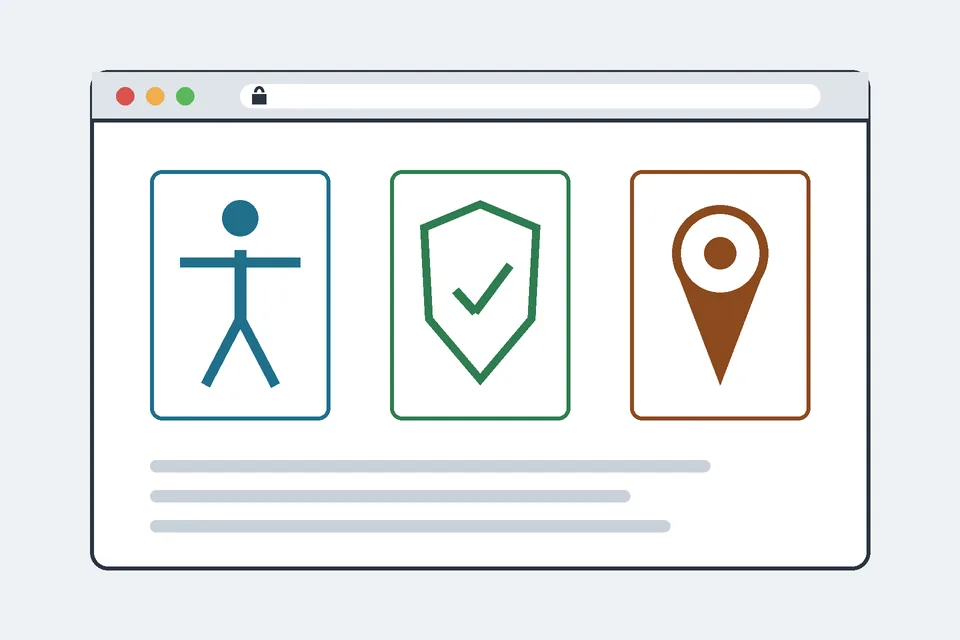
A website for a doctor's office, dental practice or physiotherapy clinic looks like a simple brochure site: opening hours, a map, a phone number and a booking button. Technically, it carries more obligations than most small-business sites. Patients may use screen readers or zoom, analytics tags can leak health information, and people search for a practice "near me", so local search signals matter more than blog posts. This guide covers the build decisions a developer controls. It is not legal or medical advice; the practice's compliance lead or lawyer should confirm what applies to them.
1. Accessibility: build to WCAG 2.2 level AA
The working standard is the W3C's Web Content Accessibility Guidelines (WCAG) 2.2, published as a W3C Recommendation in October 2023. In the US, the Department of Justice's guidance on web accessibility and the ADA says businesses open to the public, which includes medical offices, must make their websites accessible to people with disabilities. For practices that receive federal financial assistance from HHS (Medicaid payments, for example), the HHS Section 504 rule published in May 2024 goes further and names WCAG 2.1 level AA as the technical standard for web content and mobile apps, with compliance dates set by organisation size. Building to WCAG 2.2 AA satisfies 2.1 AA as well, because 2.2 only adds criteria (and removes one obsolete one, 4.1.1 Parsing).
The criteria that most often fail on practice sites:
- Contrast. Normal text needs a contrast ratio of at least 4.5:1 against its background (success criterion 1.4.3). Pale teal on white, a favourite of healthcare themes, often fails.
- Target size. Interactive targets should be at least 24 by 24 CSS pixels or have enough spacing (2.5.8, new in 2.2). Small "Book" links in a dense timetable are a typical failure.
- Forms. Every field needs a programmatic label, errors must be described in text, not only in red, and required fields must be announced. The W3C's forms tutorial shows the patterns.
- Documents. New-patient forms published only as scanned PDFs are not readable by screen readers. Offer an accessible HTML version or a tagged PDF.
- Keyboard and focus. The booking widget, the cookie banner and the mobile menu must all work with the keyboard alone, with a visible focus indicator.
An accessible field with an error message, without any JavaScript framework:
<label for="phone">Phone number (required)</label>
<input id="phone" name="phone" type="tel" autocomplete="tel"
       required aria-describedby="phone-error">
<p id="phone-error" class="error" role="alert" hidden>
  Enter a phone number so the practice can call you back.
</p>
The autocomplete attribute also satisfies criterion 1.3.5 (identify input purpose) and saves typing on mobile. Automated checkers catch only part of these problems; test the booking path with a keyboard and a screen reader before launch.
2. Privacy: tracking technologies and HIPAA
In the US, practices that bill health plans electronically are usually HIPAA covered entities. In December 2022 the HHS Office for Civil Rights published a bulletin on the use of online tracking technologies by HIPAA covered entities, updated in March 2024. Its core point for developers: analytics scripts, session replay tools and advertising pixels collect identifiers such as IP addresses, and on pages behind a patient login, or in a booking flow, that data combined with health information can be protected health information. Disclosing it to a vendor requires a HIPAA-compliant basis, normally a business associate agreement, which most advertising platforms do not sign. In June 2024 a federal court in Texas vacated the part of the bulletin dealing with tracking on public, unauthenticated pages; the rest still stands, so check the current version on the HHS page before you decide.
Practical rules that hold whichever way the law develops:
- Load no advertising pixels or session replay on the patient portal, booking pages or any page reached after a patient identifies themselves.
- Prefer first-party, cookieless analytics on public pages, and configure it not to record full URLs with query strings: a URL such as
/book?reason=…can reveal a condition. - Keep an inventory of every third-party script, who loads it (theme, plugin, tag manager) and whether a business associate agreement covers it.
- Do not embed the practice's booking system in an iframe on pages that also carry marketing tags.
To keep that inventory honest, list the third-party hosts a page actually references. This uses only the standard library and urllib3, covered in our guide to HTTP requests with urllib3:
from html.parser import HTMLParser
from urllib.parse import urljoin, urlsplit
import urllib3

class ScriptHosts(HTMLParser):
    def __init__(self, base):
        super().__init__()
        self.base, self.hosts = base, set()

    def handle_starttag(self, tag, attrs):
        attrs = dict(attrs)
        src = attrs.get("src") if tag in ("script", "iframe", "img") else None
        if src:
            host = urlsplit(urljoin(self.base, src)).hostname
            if host and host != urlsplit(self.base).hostname:
                self.hosts.add(host)

http = urllib3.PoolManager()
for url in ["https://practice.example/", "https://practice.example/book/"]:
    resp = http.request("GET", url, timeout=10.0)
    parser = ScriptHosts(url)
    parser.feed(resp.data.decode("utf-8", errors="replace"))
    print(url, resp.status, sorted(parser.hosts))
This only sees tags present in the HTML. A tag manager injects more scripts at runtime, so for a complete picture load the page in a real browser, as explained in Scrapy vs Selenium, or read the browser's network panel.
3. Contact and booking forms
A general contact form is a small CRUD application: it creates a record and sends a notification. The difference on a medical site is what that record may contain. Keep the general form to name, preferred contact method and a short non-clinical message, and say clearly next to it that it is not for urgent matters or clinical questions, with the emergency number for the country. Ordinary email is not end-to-end encrypted, so do not forward free-text form submissions that might describe symptoms to a shared mailbox unless the practice has assessed that channel. Clinical questions and appointment details belong in the practice's patient portal or booking system, under the vendor's agreement with the practice. Serve the whole site over HTTPS with HSTS, store submissions for as short a time as the practice needs, and protect the form with server-side validation and rate limiting rather than an invasive third-party captcha.
4. Local search: Business Profile and structured data
For a practice, the Google Business Profile usually brings more patients than the website's own rankings. Google's guidelines for representing your business require the real-world name used on signage and stationery (no added keywords), a real address patients can visit, and accurate hours. They also cover practitioners: an individual practitioner may have their own profile alongside the practice's. The website should match the profile exactly: same name, address and phone number on every page footer, the same hours, and a contact page that loads fast on mobile.
On the site, describe the practice with structured data. Google's LocalBusiness documentation asks you to use the most specific type available; schema.org offers MedicalClinic, Dentist and Physician, among others. A minimal example with placeholder values:
<script type="application/ld+json">
{
  "@context": "https://schema.org",
  "@type": "MedicalClinic",
  "name": "Example Family Practice",
  "url": "https://practice.example/",
  "telephone": "+1-555-0100",
  "address": {
    "@type": "PostalAddress",
    "streetAddress": "100 Main Street",
    "addressLocality": "Springfield",
    "addressRegion": "IL",
    "postalCode": "62701",
    "addressCountry": "US"
  },
  "openingHoursSpecification": [{
    "@type": "OpeningHoursSpecification",
    "dayOfWeek": ["Monday", "Tuesday", "Wednesday", "Thursday", "Friday"],
    "opens": "08:30",
    "closes": "17:30"
  }]
}
</script>
Validate it with Google's Rich Results Test, and keep it generated from the same data source as the visible footer so the two never drift apart. Do not mark up reviews of the practice on its own site: Google does not show self-serving review stars for local businesses.
5. Content and performance
Health pages fall into what Google's raters call "Your Money or Your Life" topics, where trust matters most. Google's guidance on helpful, reliable, people-first content asks who wrote a page and why. For a practice, that means service pages written or reviewed by the clinicians who provide the service, with their real names and qualifications, and no copied condition encyclopaedias. On performance, Google's Core Web Vitals thresholds for a good experience are Largest Contentful Paint within 2.5 seconds, Interaction to Next Paint under 200 milliseconds and Cumulative Layout Shift under 0.1. Map embeds and chat widgets are the usual culprits: replace the live map with a static image linking to directions, and load chat only when someone asks for it.
Launch checklist
- Keyboard-only and screen-reader pass on the home page, contact page and booking path.
- Contrast and target sizes checked on the real theme colours.
- Third-party script inventory done, no pixels or replay on portal and booking pages.
- General contact form free of clinical fields, with an emergency notice.
- Name, address, phone and hours identical on the site, in structured data and on the Business Profile.
- Core Web Vitals measured on a mid-range phone, not only on a developer laptop.
Sources
- W3C, Web Content Accessibility Guidelines 2.2.
- US Department of Justice, Guidance on Web Accessibility and the ADA.
- HHS, Nondiscrimination on the Basis of Disability in Programs or Activities Receiving Federal Financial Assistance (Federal Register, 9 May 2024).
- HHS Office for Civil Rights, Use of Online Tracking Technologies by HIPAA Covered Entities and Business Associates.
- Google Search Central, Local business structured data.
- Google Business Profile Help, Guidelines for representing your business on Google.
- web.dev, Web Vitals.
 Web
WebWhat is a CRUD application?
CRUD means Create, Read, Update, Delete. See how it maps to SQL and REST HTTP methods, with a runnable Python example, validation, soft deletes and idempotency.
 Web
WebHTTP requests with urllib3
How to send GET and POST requests with urllib3: PoolManager, query fields, JSON bodies, headers, timeouts, Retry, redirects, TLS, streaming and errors (v2).
 Web
WebScrapy vs Selenium
Scrapy vs Selenium compared: architecture, JavaScript rendering, speed, scaling and pipelines, with working code for each and when to use scrapy-playwright.